Play along with your sheet music.
Fiddling is a free practice partner for people learning the violin, on iPhone and iPad. It scrolls the notes past a playhead, listens as you play, and shows you which ones were in tune.
Coming soon to the App Store
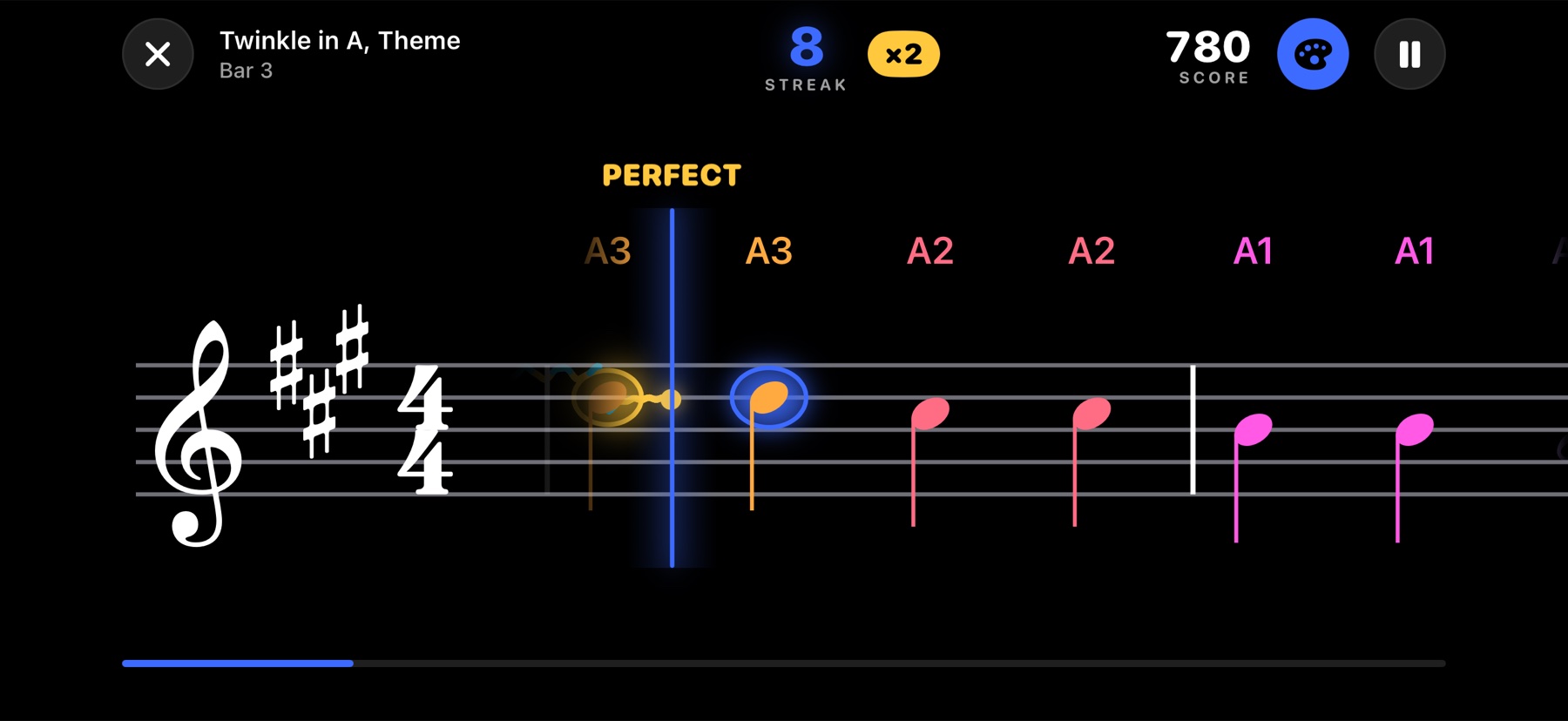
Twinkle, Twinkle, Little Star, the way the practice lane shows it: coloured by note, with the string and finger above each one.
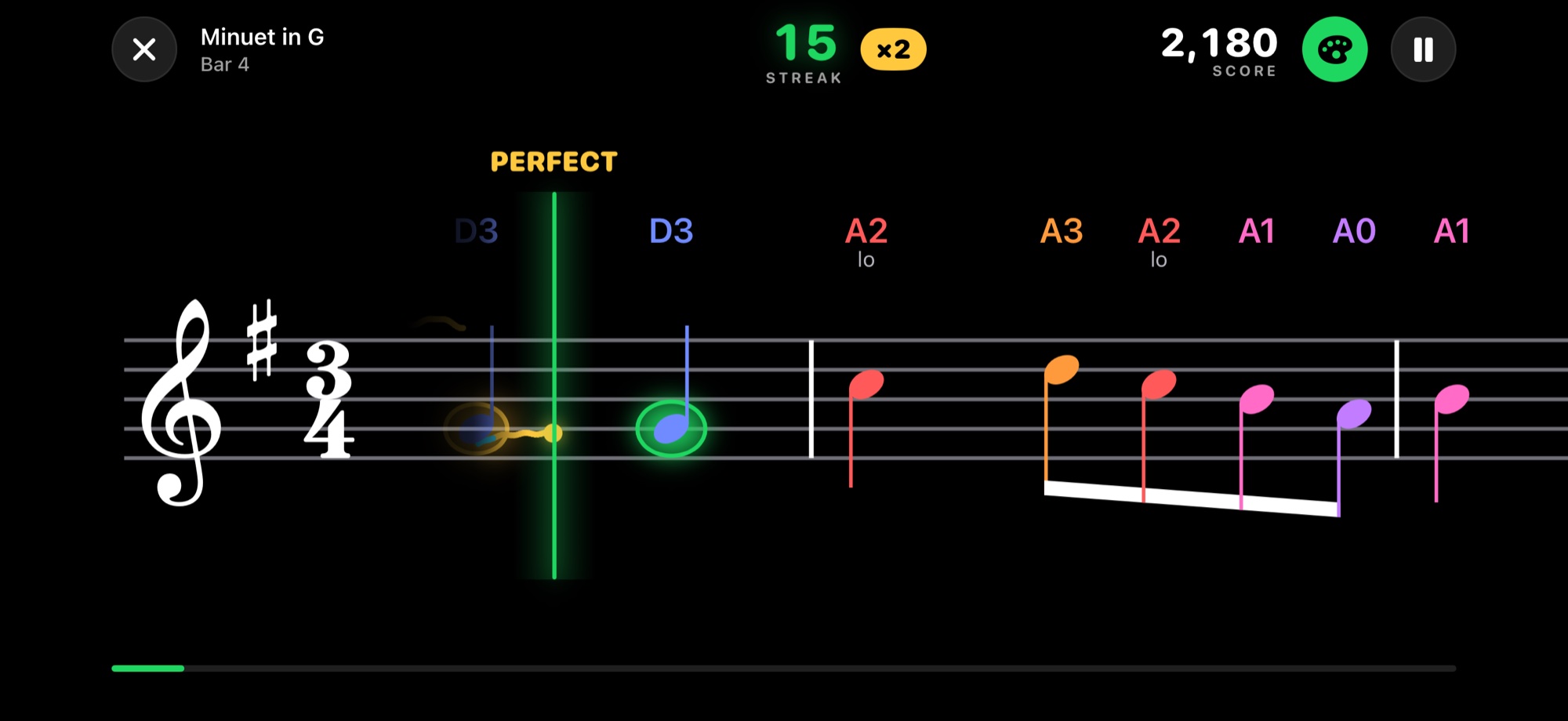
The notes come to you.
Real notation moves across the screen at a steady speed, or waits until you play the next note. Fiddling hears each one and marks it as you go.
- A
- the string to play on
- 3
- the finger to put down
- A label above every note, so your hand always knows where to go.
- A live line for your pitch, drawn against the note you're aiming for.
- Colour by note or by string, or switch the colours off.
Two big buttons for every piece.
Tap a piece and Fiddling asks two things: whether to hear it or play it, and how to practise. Hear plays it to you as the notes scroll by. Play starts the lane with the microphone listening.
- Keep time scrolls at a steady speed after a count-in, and judges your timing as well as your notes.
- Wait for me waits on each note, and moves on as you play it.
- From a tortoise to a hare. Slow a piece right down while you learn it, then bring it back up.
- Loop a stretch, or play along with the app's violin in your headphones.
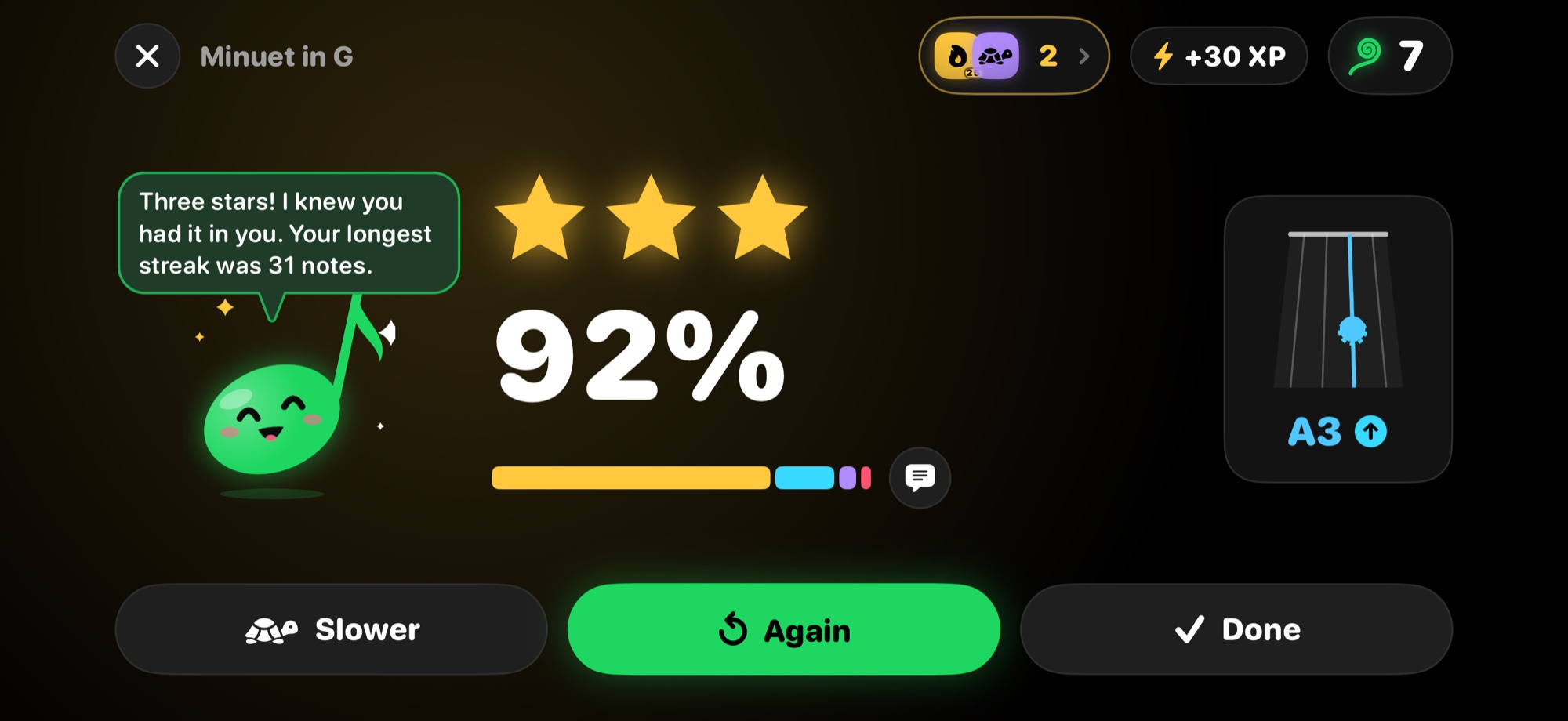
Find out how it went.
You get stars, a score, your longest run of notes, and one or two plain observations, the kind a patient teacher would make.
- It names the finger that keeps landing low or high, and by how much.
- It knows when it's the tuning and not your hand.
- Notes it couldn't hear clearly cost you nothing. It says so and moves on.
From your first bow to third position.
Fiddling comes with a course in five sections. The four below are open from the start, so you can begin wherever suits you, and each suggests what to play next. The fifth, Reading, teaches you to read the notes, a lesson at a time.
Open strings
One simple rhythm on each of G, D, A, and E, so your bow arm learns each string's angle before there's anything to read.
Rhythms with words
Bowing rhythms you can say as you play, such as "Pineapple, pineapple" and "Run pony, run pony", one at a time across the strings.
Scales
47 major and minor scales in first, second, and third position, each position from its easiest scale to its hardest.
Songs
Twinkle, Twinkle, Little Star in every rhythm, then eleven well-known songs, from Lightly Row to Minuet in G.
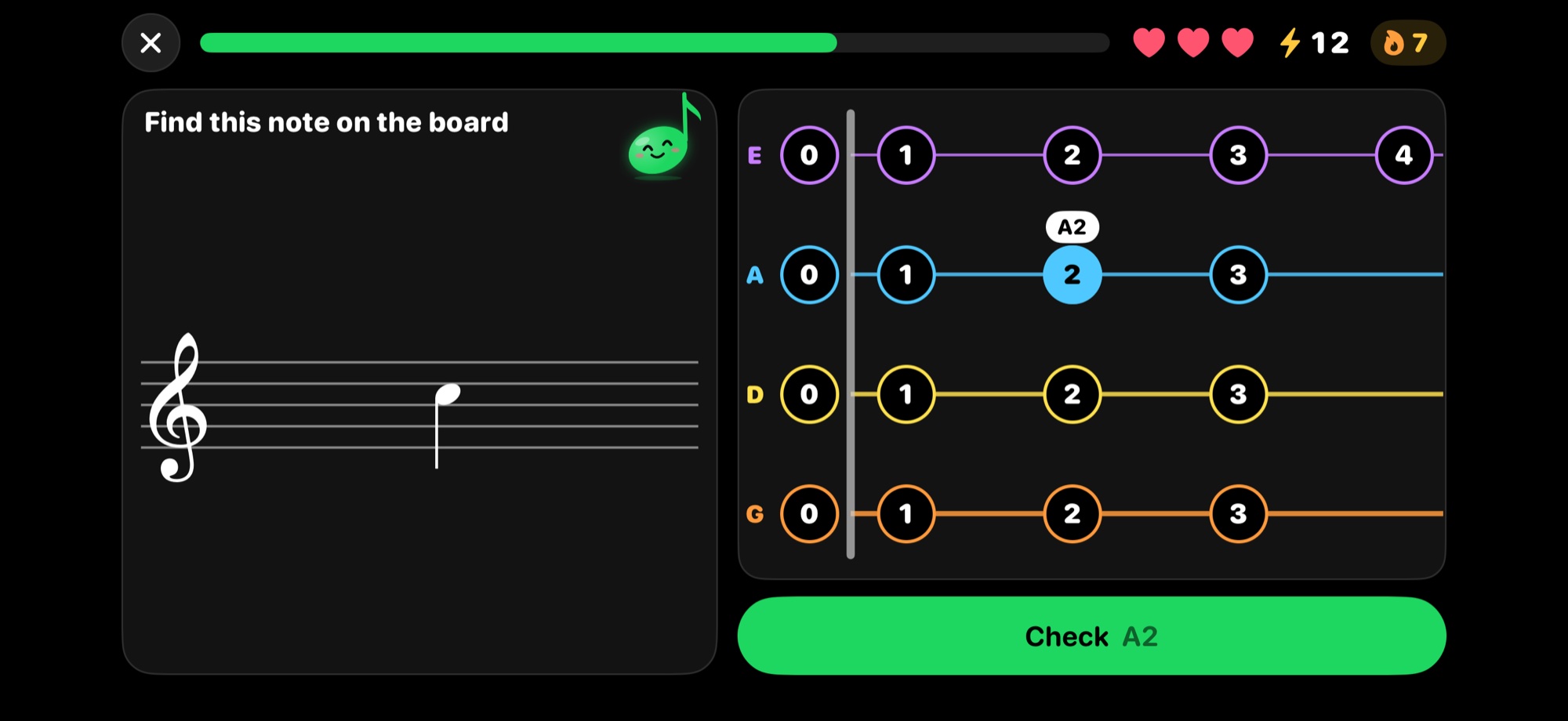
Learn to read the notes.
Reading is a game that teaches you to read music, a few notes at a time. Its 80 short lessons, in 14 sections, take you from the four open strings to every note in first position, sharps and flats included, with short tunes along the way. A lesson takes about two minutes, and you don't need your violin for it.
- Name it, then find it. Answer by letter, then on a fingerboard you can tap, where each place plays its note.
- Three hearts a lesson. A wrong answer costs one, and the note comes back a little later for another go.
- Combos and stars. Three right in a row start a combo that scores double, and a pass earns a star for each heart you kept.
- One lesson at a time. Pass one to open the next. Perfect first tries at a section's first few lessons open the next section early.
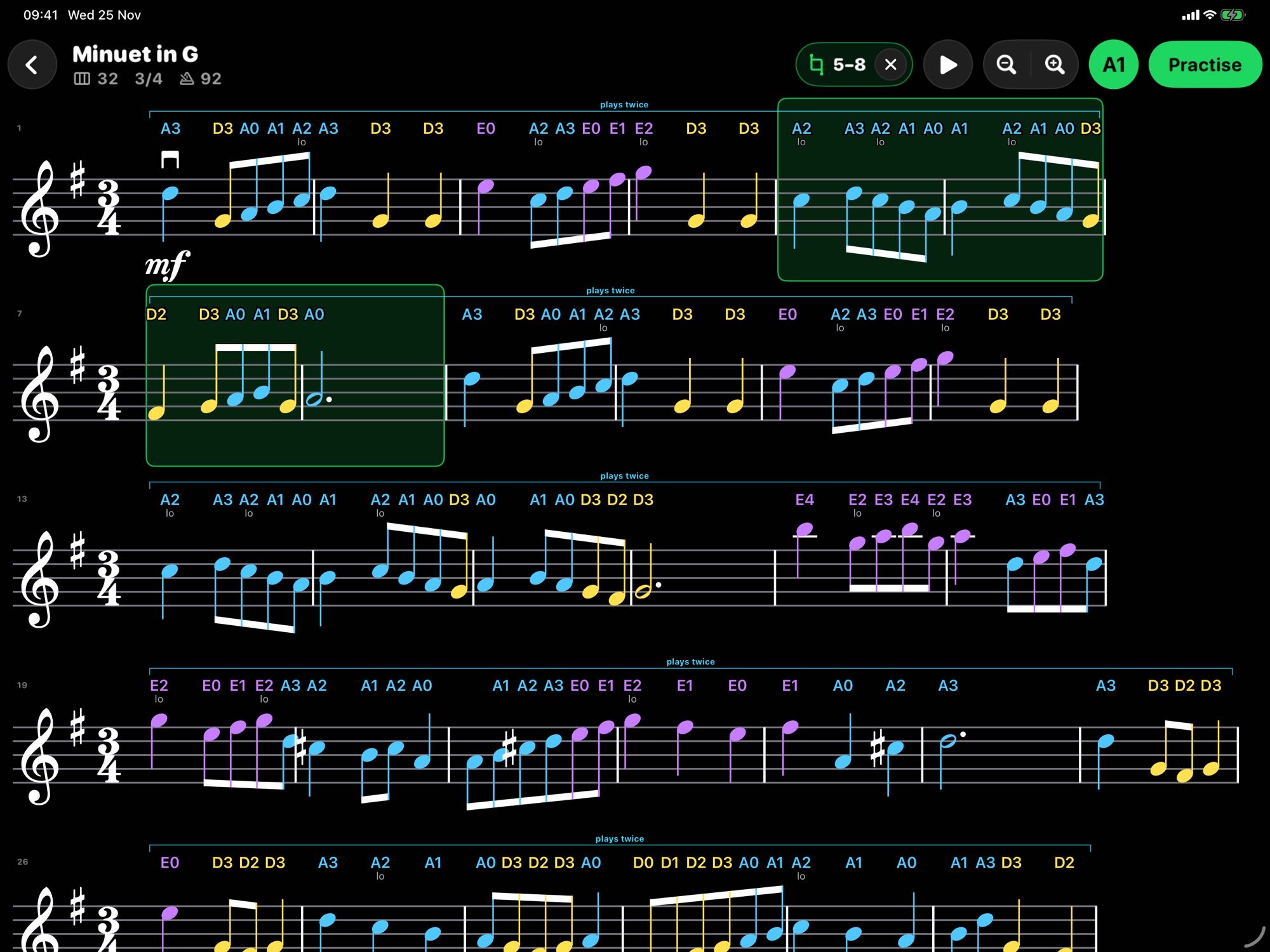
Every piece, as a page you can read.
Open any piece, from the course or your own, and tap Sheet music to see all of it as a page you can scroll. The string and finger names sit above the notes, as they do in the lane.
- Tap a bar to start from there, then another to mark a stretch.
- Press play to hear what you've marked, with each note lit as it sounds.
- Make the music larger or smaller, and hide the finger names when you don't need them.
- Practise the marked bars with Hear and Play, a few at a time.
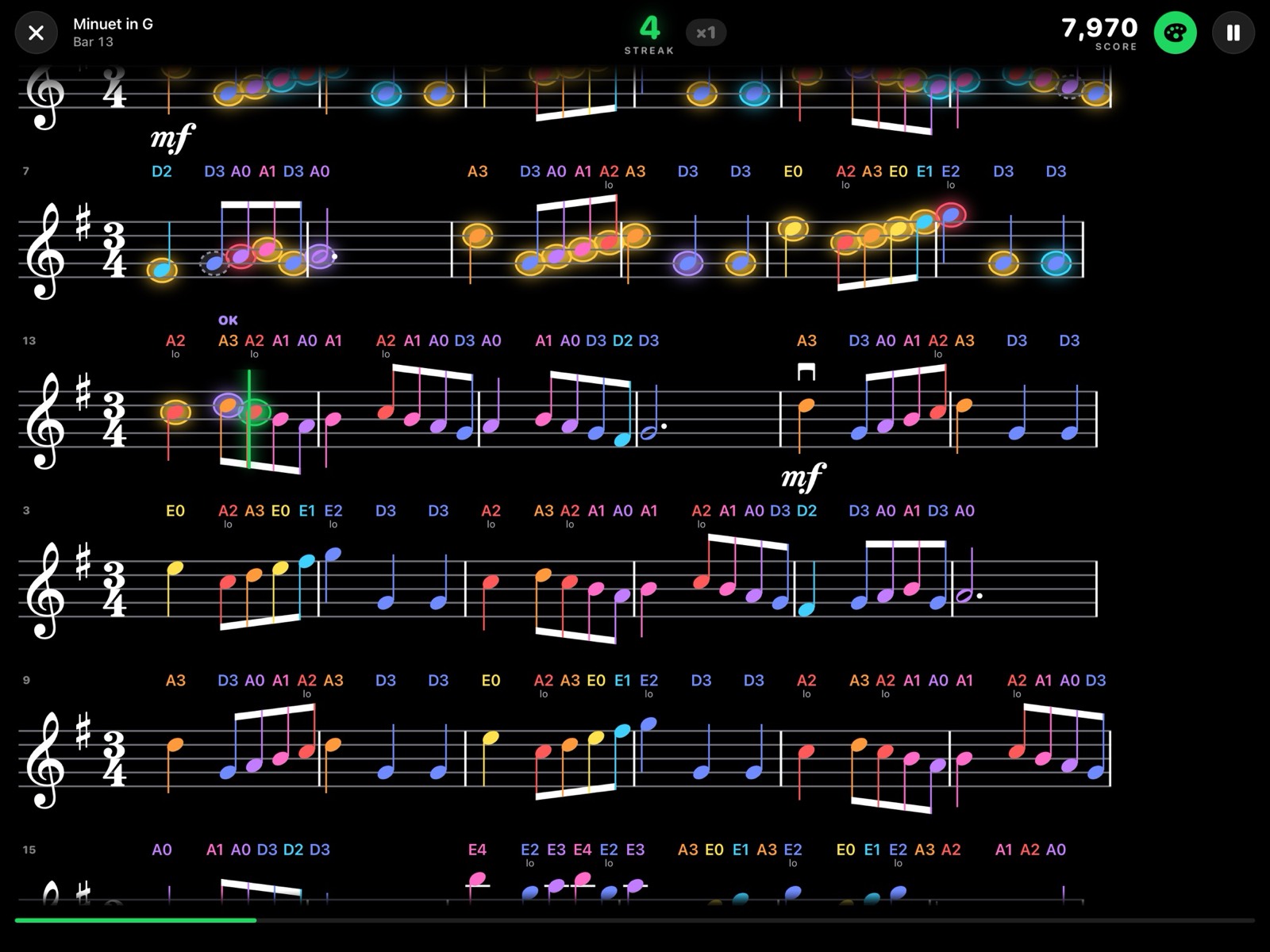
Play from the page.
On an iPad, your music can stand on the screen the way it stands on your music stand: as a page, in rows of bars. Hear and Play both use it. A cursor moves along the row you're playing, and the page glides up under it, so the next rows are always there to read ahead.
- Marked as you go. Each note gets a ring in its colour as it's judged, as in the lane, and the rings stay for the rest of the run.
- Page or Lane. Choose either in the card that opens for each piece, and Fiddling remembers. The lane scrolls the notes past a playhead, as it does on iPhone.
- Any way up. Turn your iPad or change the window's size, and the rows lay themselves out again without stopping the run.
- Your own settings. The page takes its size and finger names from the Sheet music screen.
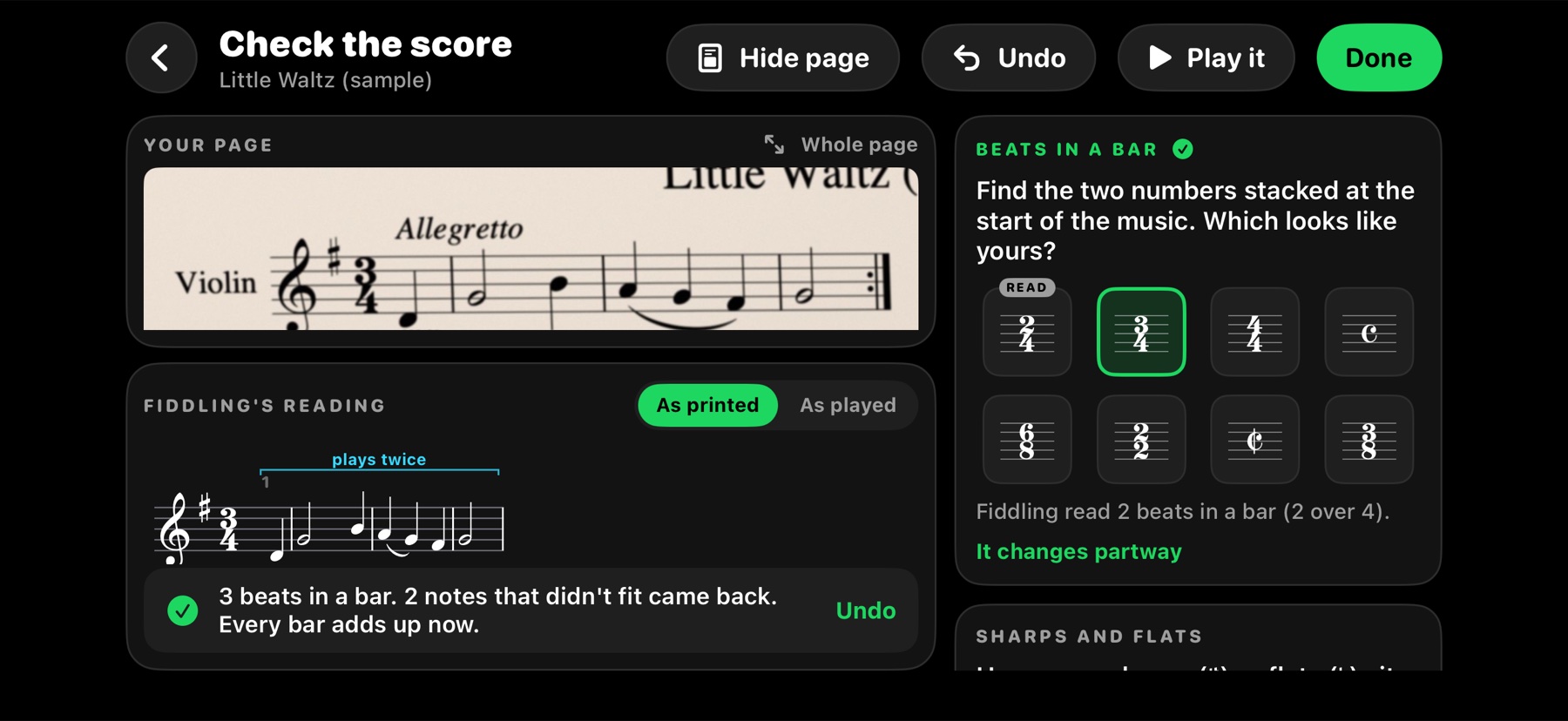
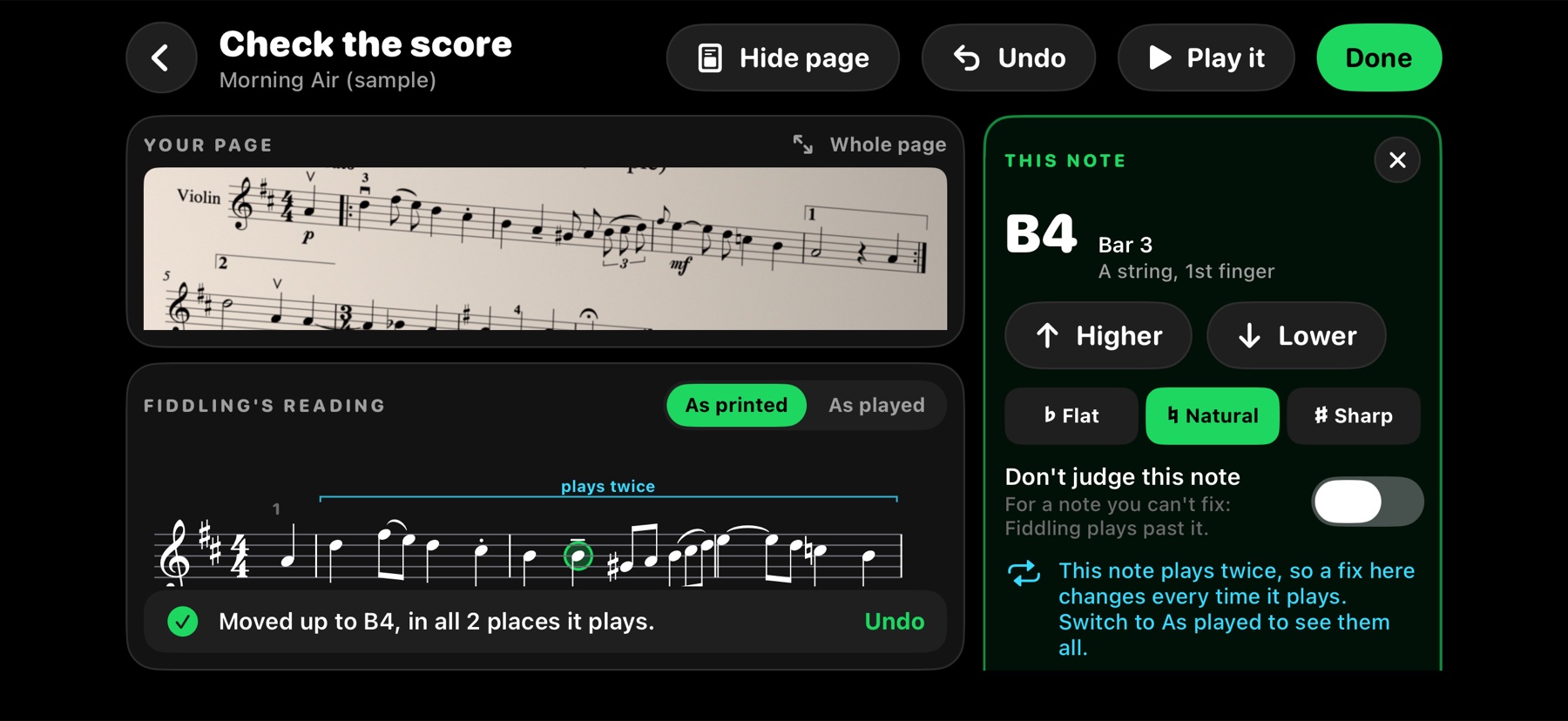
Photograph a page. Practise it.
Fiddling reads a photo of printed sheet music into a piece you can play along with. You can scan once a week, and one scan takes a whole piece of up to 10 pages. Readers make mistakes, so a check screen gives you ways to fix them that don't need you to read music fluently.
- Your photo above its reading, line by line, to compare by eye.
- A play button, to hear whether it sounds like the tune, at full speed or slower.
- Plain questions, such as how many beats are in a bar.
- Tap any note to move it, change it, or leave it out.
- MusicXML files come in too, as many as you like.
 The little singer
 The chatterbox
 Pizzicato
 The whistler
 The hummer
 Bouncy pips
 The fiddler
Three stars! You made that look easy.
Your open A string sounds a bit off. Shall we tune it?
Good morning! Shall we wake the strings up?
A little note with a lot to say.
Pip is a musical note with a face, and it keeps you company while you practise. It says hello on the home screen, cheers the good bits, and tells you kindly what to try next, in a speech bubble and a babbling voice of its own.
- Seven Pips to choose from, each with its own colour, face, and way of bouncing.
- A made-up voice. Pip babbles in sounds of its own rather than words, and you can switch the voice off.
- Kind about mistakes. It names the finger that's landing low, and it never nags.
- Your Pip is the app's icon, on your Home Screen.
A reason to come back tomorrow.
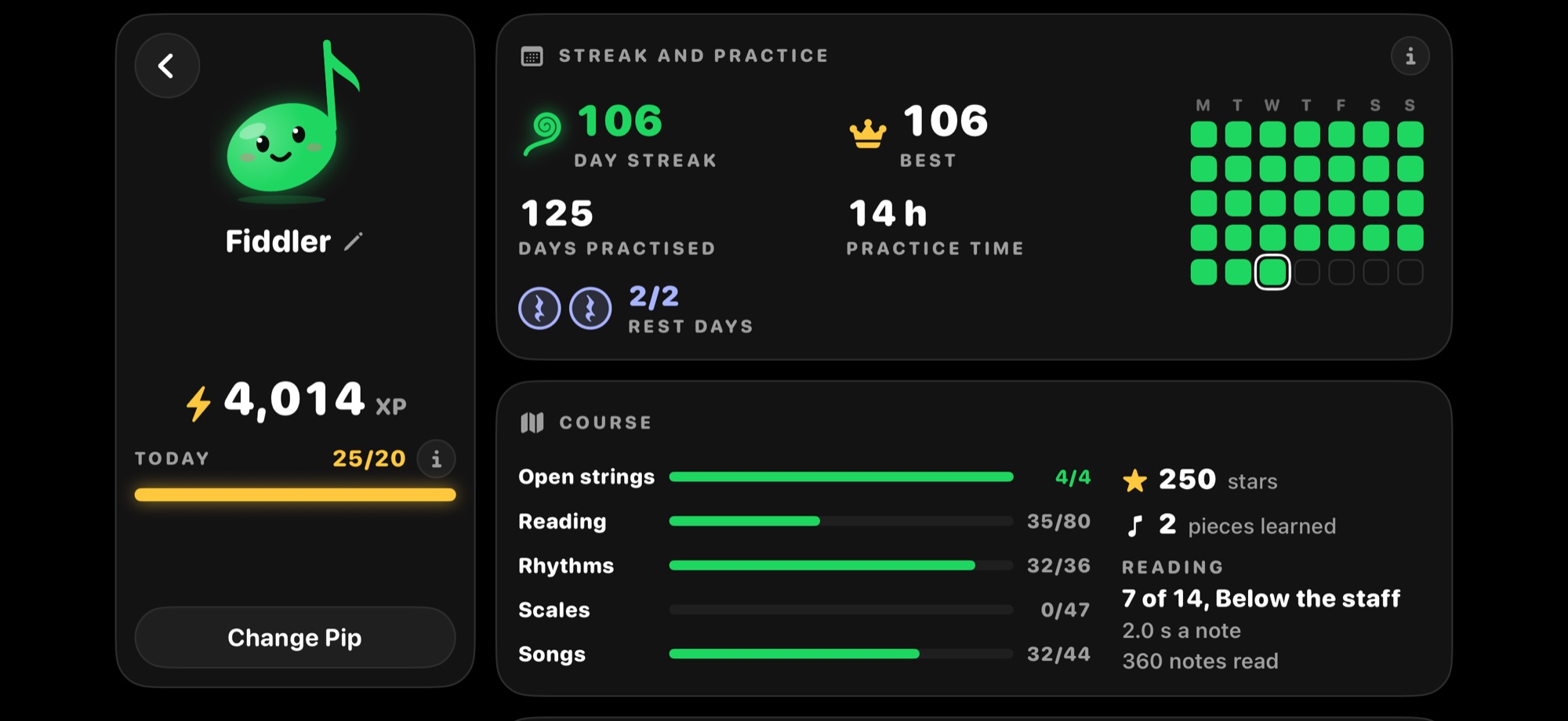
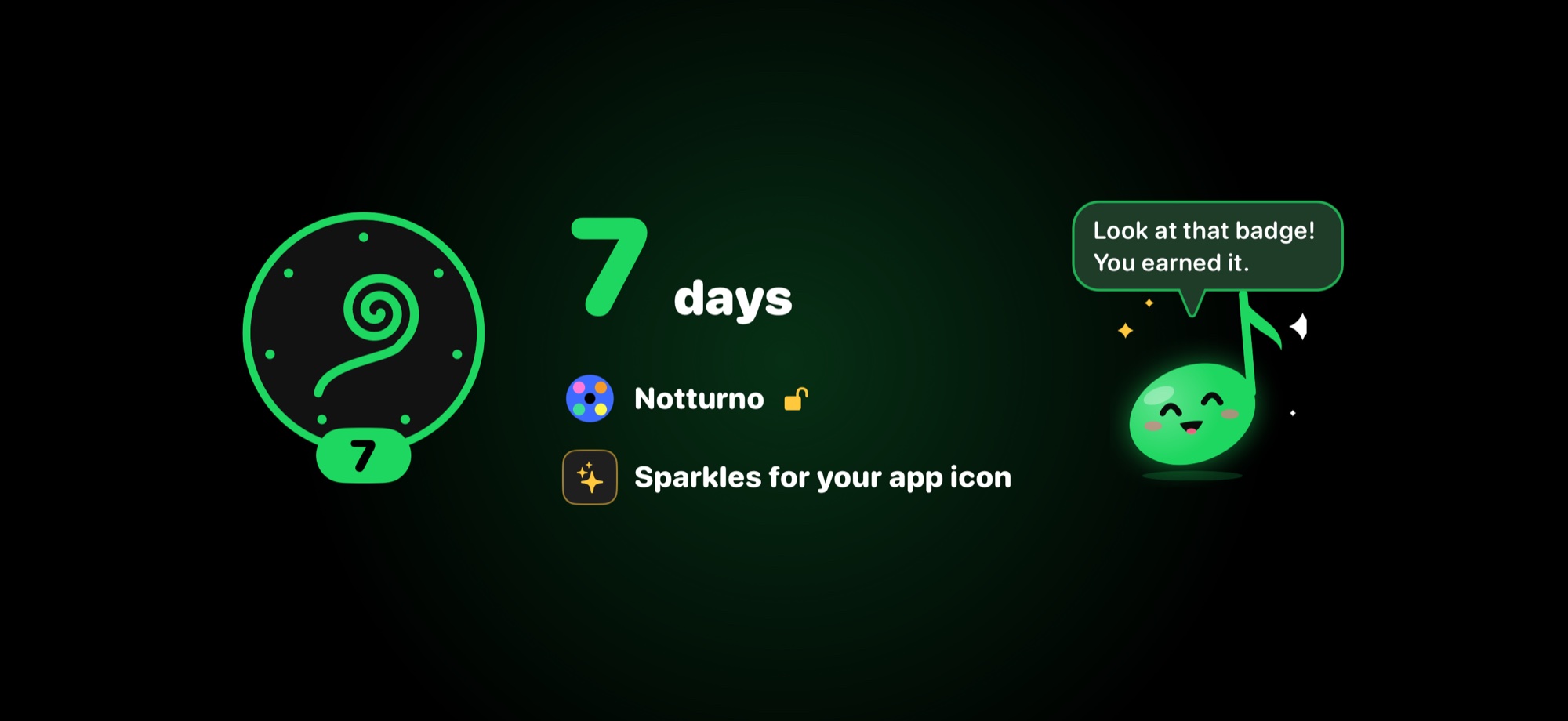
Practise a little each day and a streak builds. Milestones earn badges and new colour themes for the whole app. A week of practice earns a rest day, so one missed day doesn't undo a month. Everything you practise earns XP too, your profile keeps it all in one place, and a daily reminder is there if you'd like one.
A streak widget
Your streak on the Home Screen and the Lock Screen, with Pip on it: pleased once today counts, and asleep while a rest day keeps your streak going.
An icon that grows
The app's icon is your Pip, and it grows with your best streak: sparkles at 7 days, a golden flag at 30, and a crown at 100. A missed day never takes anything away.
Your profile
Your Pip, a nickname that stays on your device, a calendar of the days you practised, badges, achievements, and four colour themes to earn (Vivo, Notturno, Brillante, and Dolce).
XP and a daily goal
Runs, reading lessons, and tuning up all earn XP, with a goal of 20 a day. The goal stands apart from your streak, so missing it never breaks one.
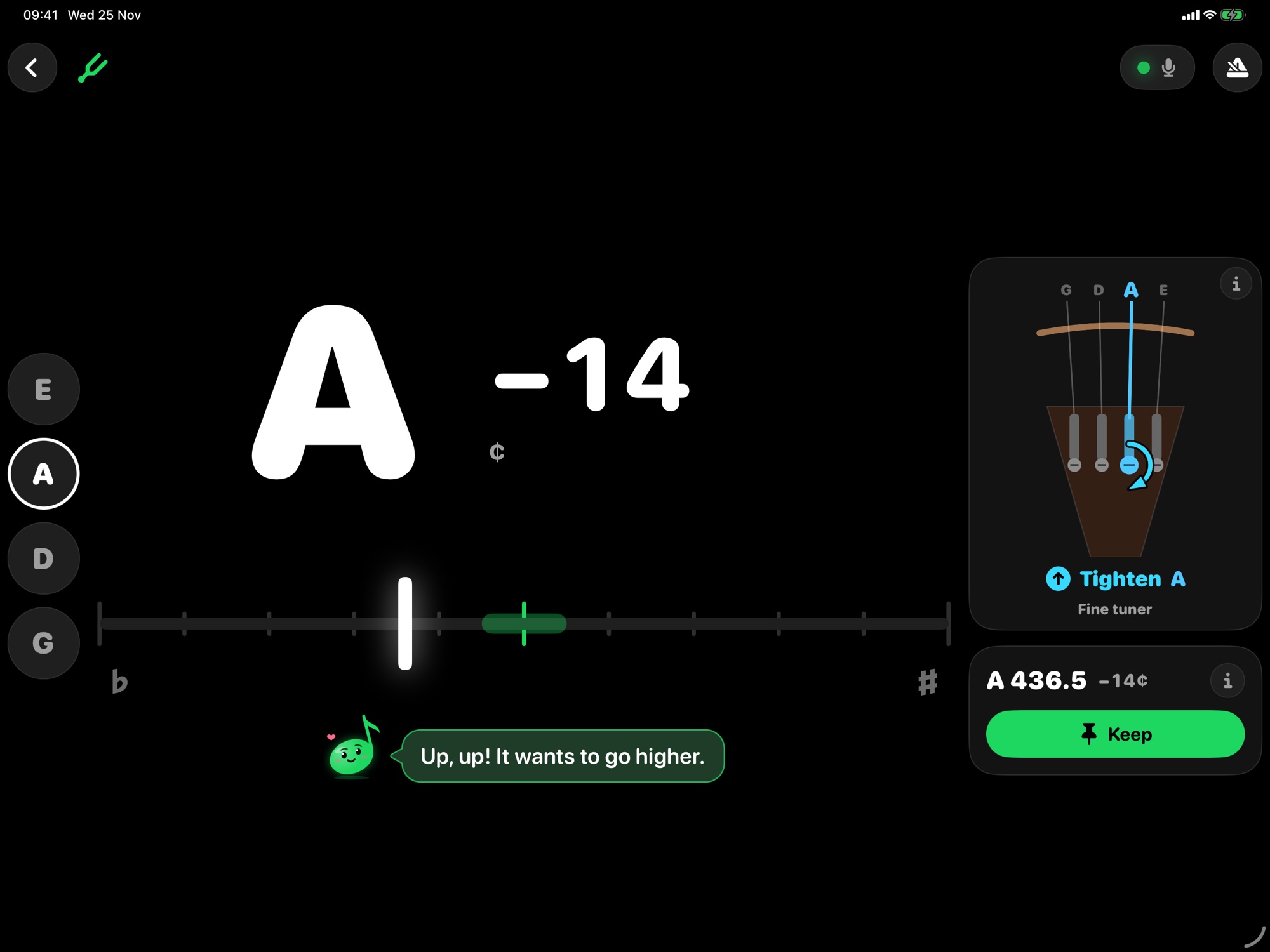
Tune up in plain words.
Play an open string and Fiddling tells you which string it hears, and which way to turn the fine tuner or the peg.
- No reading a dial. It says too low or too high, and when you're spot on.
- Your own violin's tuning. If it sits a little above or below concert pitch, keep it for practice and the app judges your notes against your instrument.
Your playing stays on your iPhone or iPad.
Fiddling analyses your playing on the device. The only thing it ever sends is a photo of sheet music when you scan, and that's deleted once read. There are no accounts, no adverts, and no tracking. The privacy policy has the details.
Heard on the device
The microphone's sound is analysed on your iPhone or iPad as you play, then discarded. It's never sent anywhere.
No accounts, adverts, or tracking
There's nothing to sign up for, and no analytics or advertising code in the app.
Scans are deleted once read
A photo of sheet music is sent to the reader only when you scan a page, and deleted as soon as it's been read.
A guide for practice.
Fiddling runs on iPhone and iPad, with screens laid out for each. It listens with the device's microphone, so it works best in a quiet room with your iPhone or iPad on your music stand. It helps you practise between lessons. It doesn't replace a teacher.
Screens shown are from the app running in Apple's simulator.
Questions people ask.
What is Fiddling?
Fiddling is a free violin practice app for iPhone and iPad. It scrolls your music past a playhead, listens through the microphone as you play, and shows which notes were in tune and on time. It comes with a built-in course, a game that teaches you to read music, a tuner, a sheet music view for every piece, and a sheet reader that turns a photo of printed music into a piece you can practise.
Is Fiddling free?
Yes. Fiddling is free, with no adverts, and there's no account to create.
Is Fiddling good for complete beginners and children?
Yes. The built-in course starts with the bow on each open string and with rhythms you say as you play, such as "Pineapple, pineapple", so there's nothing to read on your first day. Every note in the practice lane is labelled with its string and finger, such as A3 for the third finger on the A string. When you'd like to read the notes yourself, the Reading lessons start with the four open strings. Fiddling needs no name, email address, or account, and shows no adverts, so children can use it too. The nickname on the profile is up to you, and it stays on the device.
What level does Fiddling go up to?
The built-in course runs from your first notes on the open strings to 47 scales, major and minor, in first, second, and third position. It also has Twinkle, Twinkle, Little Star, played plain and in each of ten rhythms, and eleven well-known songs at five levels, from Lightly Row to Minuet in G. Its reading lessons go from the four open strings to every note in first position, with sharps, flats, and key signatures. Beyond the course, you can bring in your own pieces by scanning printed music or importing MusicXML files.
Can Fiddling teach me to read music?
Yes. Reading is a game of 80 short lessons in 14 sections, each about two minutes long. It starts with the four open strings, goes string by string through every natural note in first position, then on to short tunes, and ends with sharps, flats, and keys. You name each note by its letter at first, then find it on a fingerboard you can tap. Each lesson gives you three hearts, a combo for answers in a row, and up to three stars. Lessons open one at a time, and if the first few lessons of a section go perfectly at the first try, the next section opens early. Reading needs no violin, so you can practise it anywhere.
Does Fiddling need an internet connection?
Only for scanning. Practising, listening, the tuner, the built-in course and its reading lessons, and the pieces you've already added all work without a connection. Scanning sends photos of your pages to Fiddling's sheet reader, so it needs the internet.
How does Fiddling hear my violin, and do recordings leave my iPhone or iPad?
Fiddling listens through the microphone in your iPhone or iPad and works out the pitch and timing of each note on the device as you play. The sound is then discarded: it isn't recorded, stored, or sent anywhere. The one exception is a practice recorder you can switch on in Settings, which saves recordings to your own device and nowhere else.
Can Fiddling read my sheet music?
Yes. Photograph a printed page with the camera, or choose a photo or a file, and Fiddling's sheet reader turns it into a piece you can play along with. You can scan once a week, and one scan takes a whole piece of up to 10 pages. Readers make mistakes, so a check screen shows your photo above the app's reading, plays it back, and lets you fix any note. The reader deletes each photo once it's been read. You can also import MusicXML files at any time.
Does Fiddling work on iPhone and iPad?
Yes. Fiddling runs on iPhone with iOS 18 or later and on iPad with iPadOS 18 or later, and its screens are laid out for both. On iPad you can practise from a page: the music stands in rows of bars, a cursor moves along the row you're playing, and the page glides up as you go. If you'd rather have the notes scroll past, as they do on iPhone, choose Lane instead of Page before you start. There's also a streak widget for the Home Screen and the Lock Screen.
What is XP, and what's on my profile?
XP counts your practice. A run played to the end earns 15 XP and 5 more for each star, a run you stop early earns 2 for each minute you played (up to 10), a reading lesson earns its points (up to 30), and tuning all four strings earns 5, once a day. Today's XP has a goal of 20, which stands apart from your streak, so missing it never breaks one. Your profile shows your Pip, a nickname if you add one, your XP, a calendar of the days you practised, your streak and rest days, how far you've come in the course and in reading, and your badges, achievements, and colours.
Can I use Fiddling with my violin teacher?
Yes. Fiddling is made for practice between lessons, and it doesn't replace a teacher. You can scan the pieces your teacher sets, mark the bars you're working on, and practise them with Wait for me, then with Keep time as they come up to speed. After each run it tells you which finger keeps landing low or high, which is worth taking to your next lesson.